> ## Documentation Index
> Fetch the complete documentation index at: https://v2galileo-ankush-dangerous-output-docs.mintlify.site/llms.txt
> Use this file to discover all available pages before exploring further.
# Annotations Overview
**Annotations** allow users to provide human feedback on LLM inputs and outputs through the Galileo Console UI and the [API](/api-reference/annotation/create-annotation-template).
Galileo supports annotations on Sessions, Traces, and Spans.
* The Messages page allows you to submit annotations, and highlights available annotations with a dot indicator.
* The Logs page allows you to view and export annotations as columns.
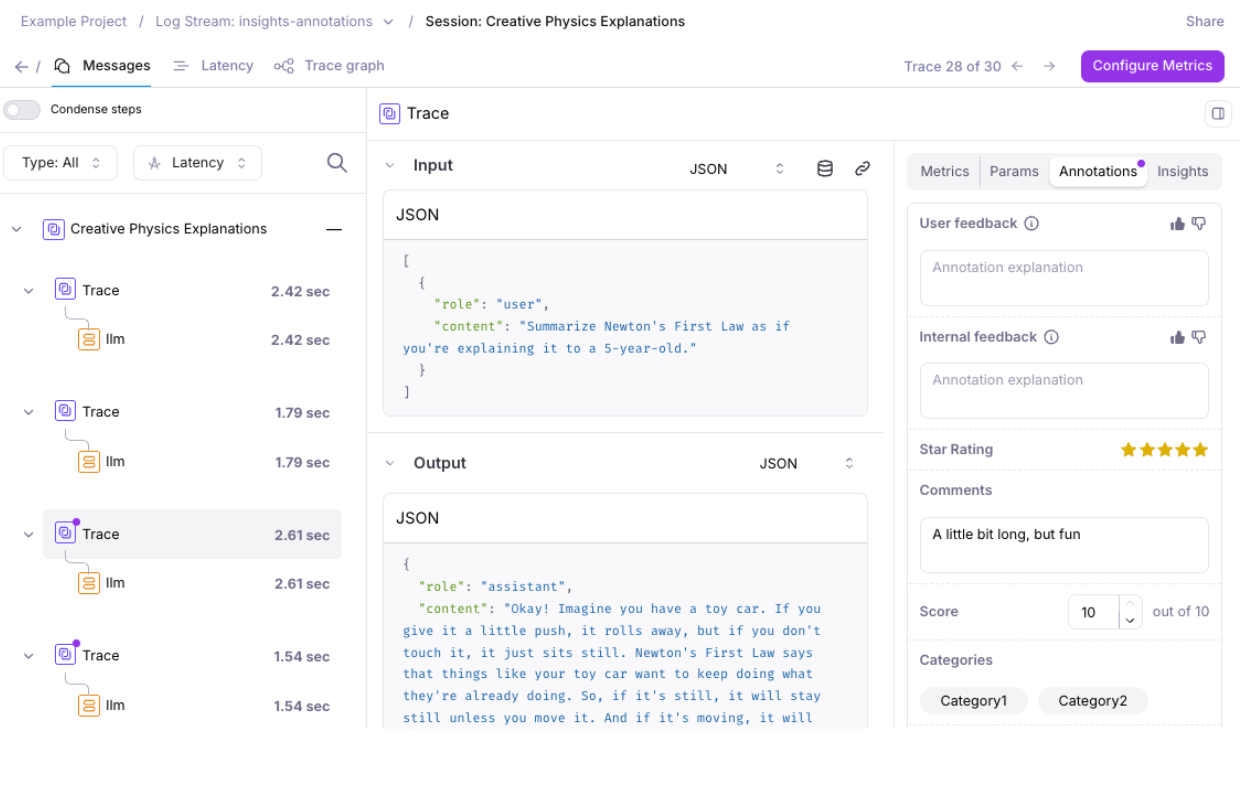 For each project, users with the necessary permissions can configure one or more of these annotation types:
* **Categories**: Enable annotators to select one or more designated categories
* **Score**: Enable annotators to select a number between 0 and a max score
* **Star**: Enable annotators to rate from 1 to 5 stars
* **Text**: Enable annotators to provide freeform text
* **Thumbs Up & Down**: Enable annotators to rate a like or dislike
The following roles have permissions to configure annotations: organization admins, project owners, or project editors.
The minimum permissions for creating annotations are: organization users, and project annotators. Read-only or viewer roles cannot submit annotations.
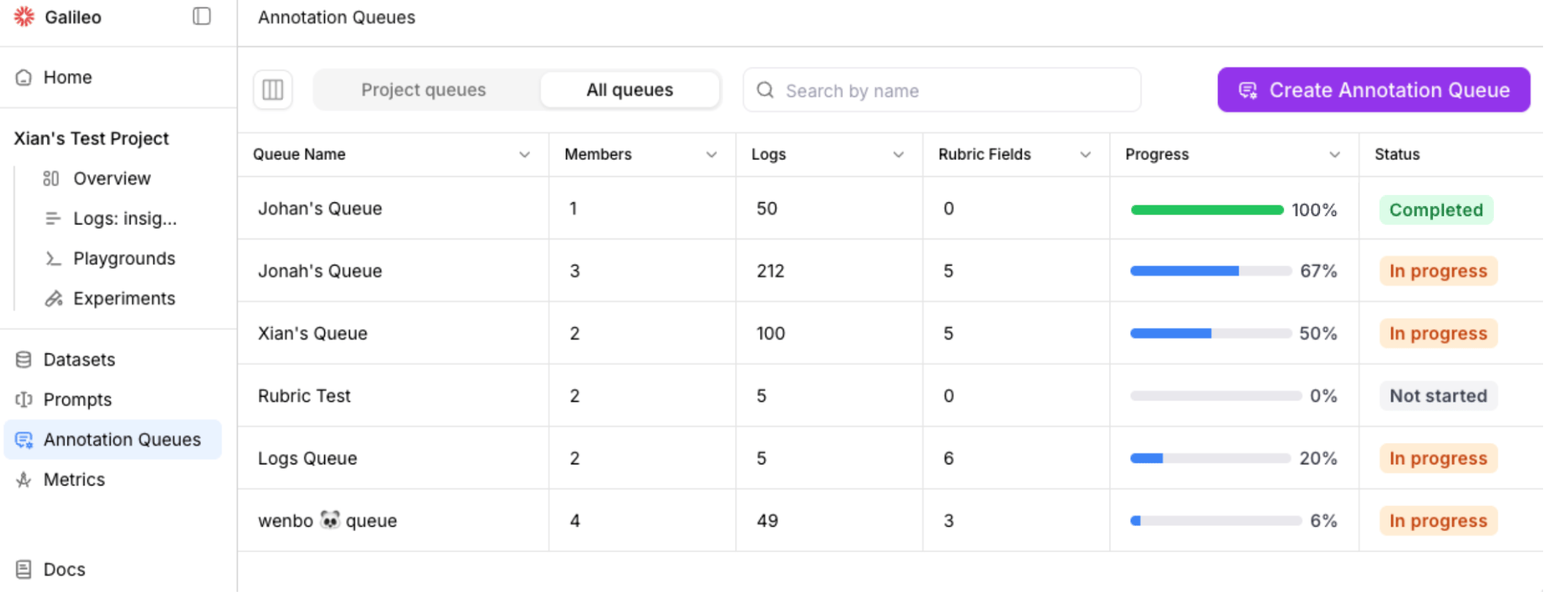
## Annotation Queues
Galileo's Annotation Queues enable teams to organize and scale human feedback by grouping project logs (sessions, traces, and spans) for structured review by subject matter experts.
For each project, users with the necessary permissions can configure one or more of these annotation types:
* **Categories**: Enable annotators to select one or more designated categories
* **Score**: Enable annotators to select a number between 0 and a max score
* **Star**: Enable annotators to rate from 1 to 5 stars
* **Text**: Enable annotators to provide freeform text
* **Thumbs Up & Down**: Enable annotators to rate a like or dislike
The following roles have permissions to configure annotations: organization admins, project owners, or project editors.
The minimum permissions for creating annotations are: organization users, and project annotators. Read-only or viewer roles cannot submit annotations.
## Annotation Queues
Galileo's Annotation Queues enable teams to organize and scale human feedback by grouping project logs (sessions, traces, and spans) for structured review by subject matter experts.